
How I Transformed My Freelance Photography Game with These 7 iPhone Tools
As a freelance photographer, I always believed I needed the biggest, bulkiest, and most expensive camera gear to capture professional-level shots. Spoiler alert: I was wrong. My journey from juggling DSLR bodies and lenses to using my iPhone full-time for client work has been nothing short of liberating. In this case study, I’ll walk you through the exact tools and strategies I used to make the switch — and how you can do the same. Whether you’re already part of the Apple ecosystem or exploring your switching to iPhone guide, this post will give you a front-row seat into how the iPhone can completely revolutionize your photography workflow.
1. The Switch: From DSLR Dependence to Total iPhone Freedom
Let’s start with how it all began. I was an independent freelancer managing social media visuals, headshots, and product photography for small businesses. Carrying around heavy equipment was slowing me down. When the latest iPhone models came out with pro-level camera setups — multiple lenses, computational photography, and RAW capabilities — I decided to take the leap.
The freedom of shooting, editing, and delivering content all from one device meant less time managing gear and more time doing what I love: capturing authentic moments. This shift was not just about convenience — it reshaped my entire creative process.
2. Essential Apps That Changed the Game
There’s no shortage of photography apps, but I found a few that are absolute must-haves for freelancers using their iPhones:
- Halide Mark II – Perfect for manual control over focus, ISO, and shutter speed, giving me DSLR-level precision on my iPhone.
- ProCamera – My go-to for shooting in RAW format, allowing maximum detail and color correction in post.
- Snapseed – Google’s free editing tool is unbeatable for quick client-ready touchups on the go.
- VSCO – Ideal for stylized looks. It’s where I create the signature tone that my clients now identify my brand by.
- Adobe Lightroom Mobile – For more detailed editing and syncing presets from my desktop workflow.
Each app plays a unique role — from capturing to editing — helping me deliver consistently polished visuals without ever leaving my phone.
3. Accessory Arsenal for Pro-Level Results
Relying solely on your phone doesn’t mean you have to sacrifice quality. A few well-chosen accessories can elevate your work significantly:
- Moment Lenses – I use the wide and telephoto lenses the most. They add optical depth that even the iPhone’s built-in lenses can’t match.
- DJI Osmo Mobile 6 – Stabilization is everything in video. This gimbal helps me capture cinematic movement effortlessly.
- Portable Tripod – For long exposures or product photography, stability ensures crisp, clear results.
- LED Light Panels – Small, rechargeable lights that attach to my phone rig or stand independently. Perfect for when natural light isn’t cooperating.
These tools help me maintain a lightweight, mobile setup that fits into a single backpack — a freelancer’s dream.
4. The Workflow That Keeps Me Ahead
The biggest concern I had when switching was how to manage files efficiently. I needed a combination of cloud solutions and editing tools to make everything seamless. Here’s what my current workflow looks like:
- Shoot in RAW using Halide or ProCamera.
- Organize and label in Apple Photos (thanks to intuitive AI tagging and albums).
- Edit first pass in Snapseed, then refine in Lightroom.
- Upload final edits to iCloud Drive or shared Dropbox folders for clients.
- Use Notes or Reminders to track project details — all synced across my MacBook and iPad.
This digital workflow lets me move between devices effortlessly, speeding up turnarounds while maintaining consistency.
5. Common Challenges (and How I Solved Them)
I’d be lying if I said the transition was entirely smooth. The biggest hurdles were file management and client perception. Some clients initially raised eyebrows when they saw me pull out a phone instead of a DSLR. So, I built confidence by showing them the final results directly on the iPhone’s display. The clarity usually stunned them into silence (in the best way possible).
As for files, I learned that using a mix of iCloud for quick syncs and Dropbox for project archiving gave me the balance between convenience and organization I had been missing before.
6. The Engagement Boost
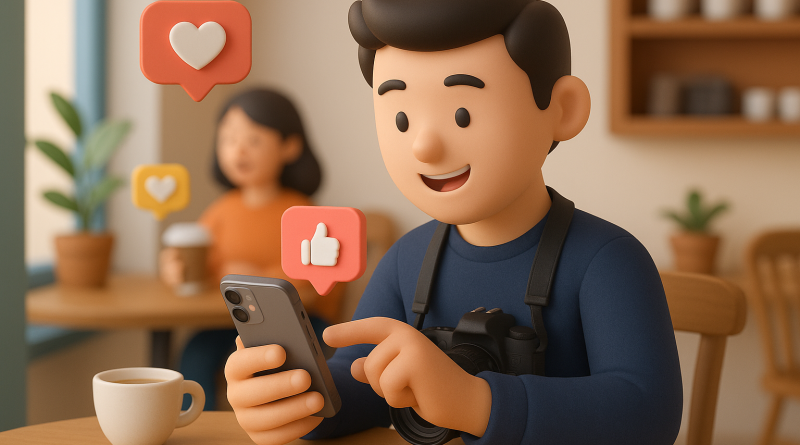
Once I started using the iPhone for shoots, my social engagement skyrocketed. I attribute that to two things — accessibility and authenticity. Because my phone was always with me, I could post real-time updates, behind-the-scenes stories, and sneak peeks that kept my audience connected. Clients appreciated the transparency and frequent updates, turning my work from a static deliverable into an ongoing visual journey.
This strategy turned my follower base into an active community, something every freelancer should strive for. It’s not just about the photos anymore — it’s about the story you tell while capturing them.
7. What I Learned: Why iPhone Is the Modern Freelancer’s Secret Weapon
At the end of my first year working iPhone-only, I discovered three major advantages:
- Speed: Fewer devices, faster turnaround times.
- Creativity: With fewer technical barriers, I focused more on composition and emotion.
- Connection: Clients love that I can shoot, edit, and share in minutes — keeping projects agile and responsive.
If you’re on the fence, consider this your nudge to explore a switching to iPhone guide. Once you adapt, your iPhone becomes more than a phone — it’s your camera, editor, producer, and communication hub all in one sleek pocket device.
Conclusion: The Future of Freelance Photography Is Mobile
Making the full switch to mobile photography was one of the most empowering choices in my career. It gave me freedom, flexibility, and creative control I didn’t realize I was missing. Whether you’re a budding content creator, a digital nomad, or a seasoned freelancer, embracing the iPhone as your creative tool can revolutionize your workflow. The tools are out there — you just need to start using them.
Ready to level up your freelance game? Take it from me: once you streamline your tech, you’ll unlock a whole new world of opportunities. For more insights on staying digitally connected as a freelancer, check out www.conXhub.com.