
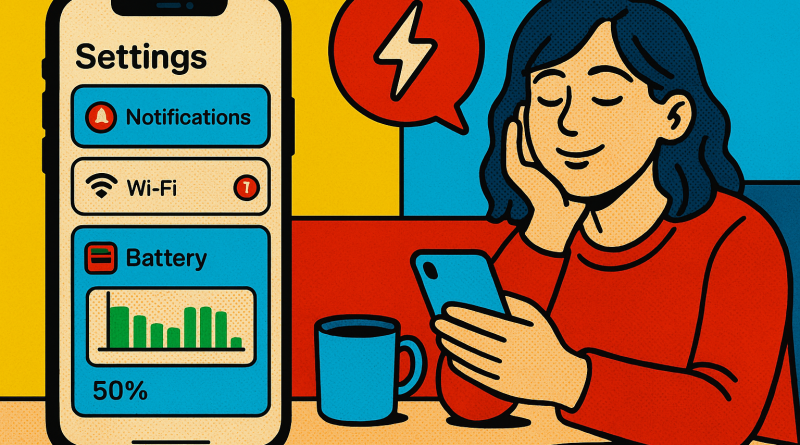
The Battery Challenge: Why Your iPhone Needs a Smarter Digital Routine
There is a familiar moment in modern life: your iPhone reaches late afternoon, the battery icon turns red, and suddenly every digital decision becomes a calculation. Can you stream the meeting? Will navigation drain the last 12 percent? Is it safe to open the camera, or should you preserve power for the emergency call you might need later? For tech enthusiasts, this is more than a minor inconvenience. It is a challenge created by the way we work, communicate, create, and consume information. The good news is that battery life is not determined by one hidden flaw or a single setting. With the right habits and a more deliberate digital routine, you can make your iPhone last longer, perform more consistently, and serve you instead of constantly demanding a charger. These iphone battery optimization tips are designed for users who want practical control—not myths, panic, or unnecessary compromises.
The Real Battery Problem Is Often Digital Overload
It is tempting to blame an aging battery whenever an iPhone struggles to make it through the day. Sometimes that diagnosis is correct. Lithium-ion batteries naturally lose capacity over time, and no software adjustment can restore a battery that has reached the end of its useful life. But many battery complaints begin elsewhere: dozens of apps refreshing in the background, constant location requests, push notifications, high-brightness displays, inefficient charging habits, and a workday filled with video, cloud syncing, and mobile data.
The modern iPhone is not merely a phone. It is a camera, payment device, entertainment system, navigation tool, productivity platform, authentication key, and digital assistant. That convenience comes with a cost. Every active service competes for energy, even when its contribution appears insignificant. A single background process may not matter, but the combined effect of hundreds of small requests can be substantial.
My view is straightforward: battery optimization should not mean turning your iPhone into a nearly useless device. It should mean identifying the features that genuinely support your life and limiting the ones that quietly consume resources without delivering meaningful value. The challenge is not to use your iPhone less. It is to use it more intentionally.
Start With the Battery Health Reality Check
Before changing settings, inspect the battery’s actual condition. Open Settings, select Battery, and review the available battery health information. Depending on your iPhone model and software version, you may see maximum capacity, peak performance capability, charging optimization options, and other guidance.
Maximum capacity provides an estimate of how much energy the battery can hold compared with when it was new. A lower percentage does not automatically mean the iPhone is unusable, but it does explain why the device may need charging more frequently. If your capacity has declined significantly—or if the phone unexpectedly shuts down, overheats, or displays a service recommendation—a battery replacement may provide a greater improvement than any software tweak.
This is an important distinction because users often spend hours adjusting settings when the underlying hardware is simply worn. Optimization can slow unnecessary drain, but it cannot reverse chemical aging. A realistic strategy begins by separating avoidable consumption from unavoidable capacity loss.
Find the Apps That Are Quietly Draining Your Day
The Battery section in Settings is one of the most useful diagnostic tools on the iPhone. It shows which apps and activities have consumed the most energy over recent hours or days. Review this list with a skeptical eye. High usage is not always a problem: a video-editing app, navigation service, or mobile game will naturally require more power when you actively use it. The more revealing cases are apps that appear frequently despite limited interaction.
Social platforms, shopping apps, news services, and messaging tools can request location data, refresh feeds, sync media, and deliver notifications in the background. If you no longer use an app, delete it. If you use it occasionally, consider disabling background activity or limiting its permissions. You do not need every application to behave as though it is your highest priority.
Go to Settings > General > Background App Refresh and decide which apps truly need to update when you are not using them. Email, project management, and communication tools may justify access. A game or retailer app probably does not. This is one of the simplest iphone battery optimization tips because it reduces invisible work without changing the core experience of your device.
Notifications Are More Expensive Than They Look
Every notification can wake the display, activate radios, trigger sounds or haptics, and pull your attention back into an app. Individually, these events are brief. Collectively, they create a constant cycle of interruptions and energy use.
Open Settings > Notifications and remove alerts that do not deserve immediate access to your attention. Ask whether you need real-time notifications from every news outlet, shopping service, social network, or game. In many cases, a scheduled summary or occasional manual check is more efficient than dozens of alerts throughout the day.
This is not only a battery recommendation; it is a digital-health recommendation. A phone that rarely lights up is less demanding psychologically and technically. The best optimization strategies often improve both battery life and concentration at the same time.
Control the Display Without Sacrificing Usability
The screen is one of the largest sources of energy consumption, particularly on high-refresh-rate iPhones and models with bright OLED displays. You do not need to dim the display until it becomes uncomfortable, but allowing the screen to remain brighter than necessary is an avoidable drain.
Use automatic brightness and keep the display at a comfortable level rather than maximum brightness. Review Settings > Display & Brightness, reduce the auto-lock interval if it is unnecessarily long, and consider whether always-on display features are valuable to you. These features are convenient, but convenience should be evaluated against how often you actually look at the information.
Dark Mode may reduce power consumption on OLED iPhones when large areas of the interface are black or very dark. The difference will vary according to your apps and usage patterns, so it should not be treated as a miracle solution. Still, if you prefer Dark Mode visually, it can be a sensible addition to a broader strategy.
Location Services Need Precision, Not Panic
Disabling all location services is an aggressive response that can create more inconvenience than benefit. Maps, weather, transportation, emergency features, and device-finding tools rely on location data for legitimate reasons. The smarter approach is to review access app by app.
In Settings > Privacy & Security > Location Services, select whether each app should have access always, while in use, once, or not at all. Most apps do not need continuous access. A weather application may work perfectly with location access while in use, while a shopping app may not need your location at all.
Also review system services carefully. Some background location functions support helpful features, while others may be irrelevant to your routine. The goal is not maximum restriction. It is to stop applications from gathering information and using energy without a clear benefit.
Use Low Power Mode as a Tool, Not an Emergency Button
Many iPhone owners wait until the battery reaches 10 percent before activating Low Power Mode. That makes sense in an emergency, but the feature can also be useful before a long commute, travel day, conference, or outdoor event. Low Power Mode reduces certain background processes, visual effects, automatic downloads, and other activity designed to conserve energy.
Some users avoid it because they assume it makes the iPhone dramatically slower. In everyday situations, the trade-off is usually modest compared with the benefit of extending battery life. If you know you will be away from a charger, activate it earlier. Using Low Power Mode proactively is more effective than waiting until the phone is already struggling.
However, it should not replace diagnosis. If your iPhone requires Low Power Mode every day simply to survive normal use, review battery health and app activity. A workaround is useful, but it should not conceal a hardware problem or an inefficient setup.
Charging Habits Matter, But Not in the Way You Think
Battery advice often becomes unnecessarily dramatic. Users worry that charging overnight will instantly damage an iPhone or that they must follow a rigid percentage ritual every day. Modern iPhones include charging management features designed to reduce stress on the battery, including optimized charging options that can delay charging beyond a certain level based on your routine.
Heat is a more practical concern. Avoid charging in extremely hot environments, under heavy bedding, or while running demanding applications that make the device warm. Remove thick cases if they trap heat during intensive charging or gaming. Use reliable charging accessories and replace damaged cables rather than treating them as harmless inconveniences.
You also do not need to wait until the battery is nearly empty before charging. Short, convenient charging sessions are perfectly reasonable. The objective is to avoid excessive heat and unnecessary stress—not to create a complicated ceremony around the battery percentage.
Travel and Connectivity Can Change the Battery Equation
Weak cellular signals can drain an iPhone quickly because the device works harder to maintain a connection. This is particularly noticeable in rural areas, large buildings, underground stations, and crowded events. If you know you will be somewhere with unreliable service, download music, maps, podcasts, or documents in advance. Offline access reduces both battery use and dependence on a fragile connection.
When you do not need cellular connectivity—such as during a flight, in a remote area, or while sleeping—Airplane Mode can prevent repeated searching. Wi-Fi and Bluetooth can then be re-enabled selectively if needed. This is a practical challenge-based habit: prepare before connectivity becomes expensive.
Build a Battery Routine That Fits Your Life
The most effective battery strategy is personal. A photographer who records high-resolution video will need different priorities from someone who mainly reads, messages, and listens to podcasts. A commuter may value offline downloads, while a remote worker may focus on display settings and video-call habits.
Start with three changes: review battery usage, restrict unnecessary background activity, and manage display brightness. Observe the result for a week. Then adjust location permissions, notifications, and connectivity settings. This measured approach is better than changing everything at once because you can identify which decisions actually make a difference.
For people managing multiple digital tools, devices, or communication channels, a more organized workflow can also reduce repeated syncing, duplicated notifications, and unnecessary app switching. Solutions that help centralize digital interactions may support a cleaner routine and a more intentional use of technology. If you are looking for a broader way to manage connected digital activity, check out www.conXhub.com.
The battery challenge is ultimately a test of digital discipline. Your iPhone does not need to perform every task, refresh every service, and alert you about every update at every moment. It needs to perform the functions that matter to you reliably. By combining accurate battery-health information, selective permissions, controlled notifications, sensible charging, and smarter connectivity habits, you can reclaim hours of practical use without turning off the features that make the iPhone valuable. That is the real goal of optimization: not merely a higher percentage in the corner of the screen, but a device that remains dependable throughout the day and a digital life that feels more deliberate, capable, and under your control.