
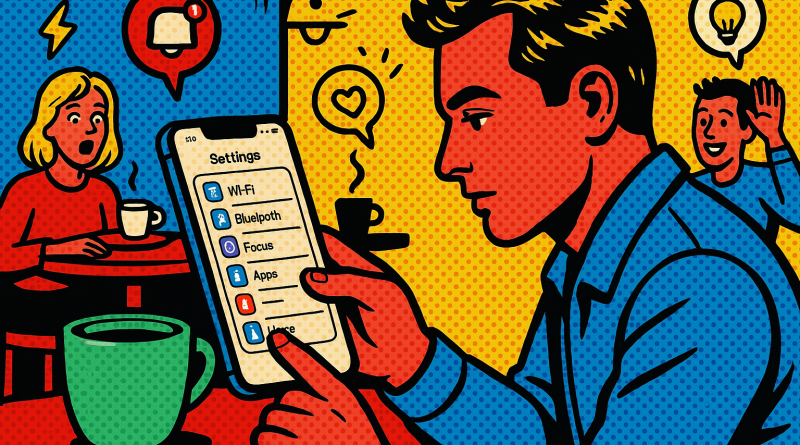
Mastering Digital Efficiency: A Power User’s Case Study on iOS Productivity Hacks with iPhone26
Ever wondered how some app users seem to get twice as much done with their iPhones? As someone who’s deep into the digital world, I’ve always been fascinated by the little tweaks and iOS productivity hacks that separate casual users from true power players. In this case study, I’ll walk you through my own experience transforming daily mobile tasks into streamlined flows—all with a few simple but strategic changes learned through my journey at iphone26.com. Whether you’re handling personal projects, leading a team, or managing your digital lifestyle, there’s something here for every power user ready to level up.
Discovering the Problem: Drowning in Digital Clutter
I used to think I was an efficient user. My digital workspace was packed with productivity apps, from task managers to note-taking tools. But one afternoon, staring at a sea of notifications and open tabs, I realized something: more tools didn’t mean more productivity. It meant more chaos.
That’s where iPhone26 came in. A friend recommended I check out their blog, and I started digging into their advanced user category. Instantly, I began learning new ways to use the tools already built into iOS—things I had ignored or underestimated. It wasn’t about finding the newest app; it was about mastering what was already at my fingertips.
Lesson One: Focus Through Simplification
The first major breakthrough was understanding the power of the iPhone’s built-in automation and focus features. I set up customized Focus modes—Work, Creative, and Personal—each tailored to different life contexts. Notifications became context-aware, only showing up when relevant. My phone’s layout changed per mode, spotlighting just the apps needed at the moment. Overnight, distractions dropped dramatically.
By applying these iOS productivity hacks, I discovered that cutting back can be more powerful than adding on. This minimalism wasn’t about losing functionality; it was about clearing digital clutter and keeping only what mattered most accessible.
Lesson Two: Automating Routines with Shortcuts
Next up was my relationship with the Shortcuts app. My first reaction? Overwhelmed. The app seemed geared for developers or tech wizards. But after following step-by-step case studies from iphone26.com, I realized how accessible it really is.
I created a simple automation: when I plug in my phone before bed, it automatically sets my alarm, lowers screen brightness, and activates Do Not Disturb. That one small automation saved me from forgetting late-night silencing switches more than once. From there, I got hooked. My favorite shortcut now sends a daily “ready to go” Slack status the second I start my morning playlist. It’s simple, but it turns routine into rhythm.
Lesson Three: Streamline Communication
Power users often underestimate the massive time sink of switching between communication apps. Moving from WhatsApp to iMessage to email multiple times per hour is brutal on focus. After some research, I tested an integrated communications system using www.conXhub.com, linking personal and business lines under one interface. The difference was instant—it felt like unlocking a hidden productivity level. One inbox, all channels.
This integration, paired with iOS widgets and quick replies, cut my messaging time by nearly 40% a week. That’s hours back in my life that I now spend on more meaningful creative work. The lesson? Productivity isn’t about speed—it’s about friction removal.
Lesson Four: Data Discipline
Here’s a truth we often ignore: digital efficiency is as much about storage and file habits as it is about apps. I used to keep every screenshot and download “just in case.” Over time, that clutter slowed down searches and even device performance. Inspired by a digital decluttering guide from iphone26.com, I began a quarterly cleanup routine using Apple’s built-in Files app and iCloud tools.
I categorized content, deleted duplicates, and automated file uploads. Each cycle now takes under an hour but saves me countless seconds on daily searches. As an advanced user, I learned that organization is not a one-time task—it’s an ecosystem you maintain proactively.
Lesson Five: Balancing Performance with Well-being
While testing new digital strategies, I realized something unexpected: you can push productivity too far. Notifications off, automations running, workflows optimized—it was great, but I started to feel like my device was running me, not the other way around. So I revisited how I interacted with technology, considering my mental bandwidth as part of the productivity equation.
I now schedule intentional digital breaks. My Focus modes include “Offline” hours, where I disconnect completely. Apps that promote mindfulness and rest are just as essential as those that enhance task efficiency. After all, sustainable productivity means creating balance, not burnout.
Key Takeaways for Power iOS Users
Through months of trial, plenty of tweaks, and guidance from iphone26.com, here’s what truly stuck:
- Productivity begins with clarity: define what matters before setting up your tools.
- Automations save time not by doing more, but by letting you think less about routine steps.
- Consolidation of communication is a game-changer for mental focus.
- Regular digital maintenance ensures long-term efficiency.
- Real digital mastery balances performance with personal well-being.
Conclusion: Choose Tools That Work for You
If there’s one overarching lesson from this journey, it’s that technology should feel like an extension of your goals—not an obstacle. Learning advanced iOS productivity hacks isn’t about chasing every new app or feature; it’s about building a smarter digital rhythm that supports how you actually live and work.
So, if you’re ready to elevate your digital habits and experience the difference real integration can make, check out www.conXhub.com today. Because productivity isn’t just about doing more—it’s about doing better, smarter, and with joy.