
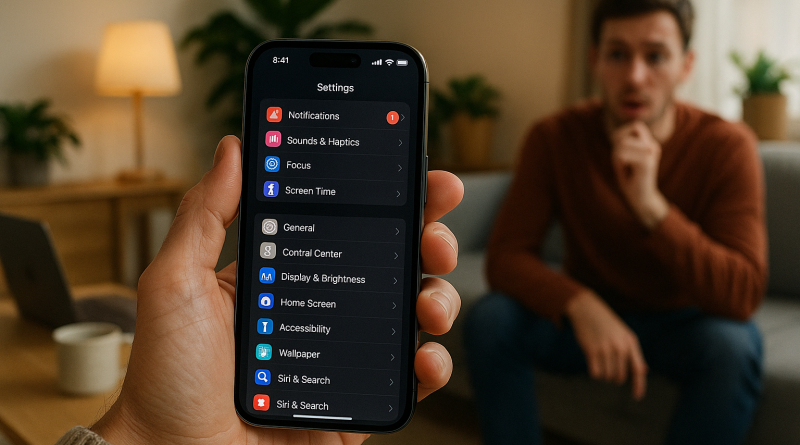
10 Community-Tested Tips to Get the Most Out of Your iPhone 15 Pro: Insights from Digital Enthusiasts
When the iPhone 15 Pro launched, it quickly became the go-to device for creators, professionals, and everyday iPhone lovers. As someone who’s been part of the iPhone user community since the early days, I’ve gathered practical tips from real users and digital experts to help you tap into every ounce of potential this flagship device offers. This isn’t your typical iphone 15 pro review; it’s a collection of tested strategies, user hacks, and real experiences from our community that can help you unlock more productivity, creativity, and enjoyment from your iPhone 15 Pro.
1. Master the Always-On Display Without Draining Battery Life
The Always-On Display is a feature many users love—and others disable immediately. The trick? Balance convenience and efficiency. One forum member shared that setting a Focus mode to automatically turn off the display when at work or sleeping kept notifications visible only when needed. This practical tweak saves battery life and keeps distractions at bay.
2. Shoot Like a Pro with Enhanced Camera Controls
While the iPhone 15 Pro camera often gets rave reviews, most users don’t tap into its full potential. Enable the “ProRAW” setting for photos and “ProRes” for videos to gain professional-level control over your content. One photographer from our community swears by adjusting the lens focal length manually—especially using the new 5x telephoto lens—to get sharper shots in different lighting. As part of my own experience, shooting in Log format for editing flexibility has been a total game-changer.
3. Take Advantage of the Action Button
The Action Button is one of those underrated features that transforms how you use your iPhone. Instead of keeping it as a camera shortcut, assign it to automation tasks using the Shortcuts app. For example, I’ve programmed mine to toggle between my personal and work Focus modes. In our iphone 15 pro review community thread, users love setting it up to record voice memos for notes on the go or trigger smart home scenes. It’s simple automation that feels like magic.
4. Boost Performance with Storage Smart Management
Between 4K footage, ProRAW images, and bulky app data, storage can fill up fast. Regularly back up content to iCloud or external drives using USB-C—it’s super fast on the iPhone 15 Pro. I also recommend using the “Offload unused apps” feature. One reader mentioned creating a monthly reminder to review unused files, keeping their phone running smoother and faster. Think of it as a digital detox for your device.
5. Explore Spatial Video for Immersive Memories
One of my favorite community discoveries is Spatial Video. Users who own Vision Pro or plan to invest in AR tech find that recording family moments in Spatial captures a sense of presence that flat videos can’t. During our digital industry panel, several iPhone enthusiasts highlighted this as the next evolution of content creation. The key tip? Hold your iPhone horizontally and ensure enough light—your videos will feel more vibrant and lifelike.
6. Elevate Communication with Advanced FaceTime and Live Transcriptions
FaceTime has grown far beyond just video calls. With the iPhone 15 Pro, you can use Portrait Mode in calls, blur the background, or activate Live Captions for accessibility. A community member shared how transformative Live Captions were for collaborating with global colleagues. It’s not just a feature—it’s an inclusion tool, making digital communication smoother than ever.
7. Customize Your Lock Screen for Peak Focus
Lock Screen customization isn’t just aesthetic—it’s productivity at a glance. My personal setup includes widgets for calendar tasks, weather, and battery status. Several users add HomeKit shortcuts or Notes widgets for instant access to daily essentials. Combine this with Focus Filters to ensure your phone shows only what matters during specific times of the day. It’s your digital assistant in visual form.
8. Level Up Your Charging Game with MagSafe
MagSafe might be familiar, but community insights reveal some clever ways to use it. For example, I use a MagSafe wallet not only for cards but also as a stand during video calls. Others combine MagSafe with smart mounts for vehicles or desks, turning wireless charging into a hands-free productivity hub. Quality accessories make a big difference—invest in certified ones to avoid overheating or battery wear.
9. Secure Your Digital Identity with Passkeys and Advanced Face ID
With growing digital threats, iPhone 15 Pro users are turning to Passkeys for password-free logins. I transitioned my most-used accounts to Passkeys and eliminated the need for complex passwords. Face ID is faster, works in more lighting conditions, and syncs seamlessly across Safari. Whether you’re managing banking apps or personal accounts, tightening your digital security is paramount in today’s tech-driven world.
10. Make the Most of USB-C Connectivity
The transition to USB-C is one of the best things that happened to iPhone users. Beyond charging, use it to connect external monitors, SSDs, microphones, or even wired internet adapters. Many content creators in our community praised the time saved transferring large video files for editing. Personally, I’ve replaced my USB-A clutter with a single USB-C hub—it’s faster, cleaner, and future-proof.
Community Insights: The Real Magic of the iPhone Experience
After discussing with dozens of users from iphone26.com, one thing stands out: the iPhone 15 Pro isn’t just powerful because of specs—it’s powerful because of how people use it in creative, practical ways. One freelancer uses the device to manage client calls through CRM integrations, another tracks their wellness metrics with Apple Fitness, and digital artists are using 3D scanning tools to model in AR.
Our collective insight? The iPhone 15 Pro is more than a device—it’s an ecosystem that enhances how we live, create, and communicate in the digital world. Learning from each other’s experiences keeps the community strong and helps every user discover new ways to thrive.
Conclusion: The iPhone 15 Pro Is What You Make of It
From improved camera systems to professional-grade workflow tools, the iPhone 15 Pro continues to redefine what a smartphone can do. Whether you’re capturing your creative vision, enhancing your daily efficiency, or exploring new digital avenues, applying these community-inspired tips can push your experience to another level. And if you’re serious about improving your communication game further, check out www.conXhub.com—it’s a modern communication platform that fits perfectly into the iPhone ecosystem. Your digital life is only as powerful as the tools you choose to master.