
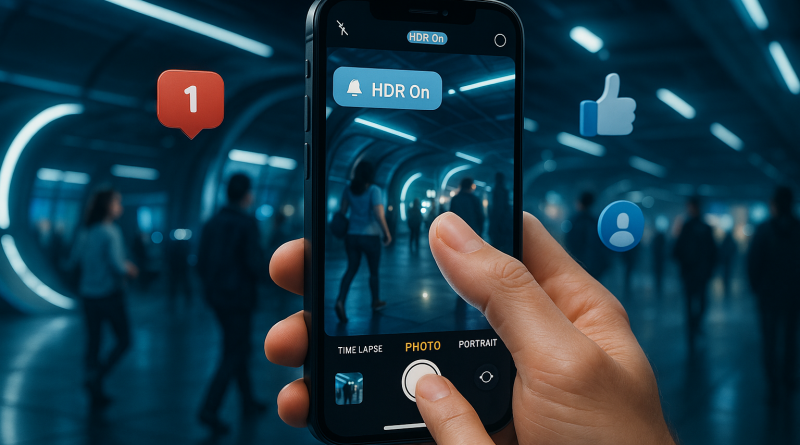
7 iPhone Photography Myths Busted: What Really Makes a Great Shot?
With powerful camera tech at our fingertips, it’s easy to believe we’ve all become professional photographers. But when it comes to the iPhone’s camera capabilities, misinformation still runs rampant. Whether you’ve just followed a switching to iPhone guide or have been an iPhone devotee for years, it’s time to set the record straight. Let’s tackle some common myths in mobile photography – and reveal the truth behind the lens.
Myth 1: More Megapixels Mean Better Photos
This one refuses to die. While megapixels do matter – especially when cropping or printing large images – what truly impacts photo quality is the sensor size, image processing, and lens quality. iPhones, starting with models like the iPhone 13 Pro, blend smart computational photography with sensor-rich cameras to deliver stunning results without chasing megapixel numbers.
Myth 2: Zooming In is the Same as Getting Closer
Think pinch-to-zoom delivers the same result as stepping forward? Think again. Digital zoom degrades image quality. If your iPhone doesn’t have a dedicated telephoto lens, you’re better off cropping the image post-shooting. Want crisp details? Get closer with your feet, not your fingers.
Myth 3: Night Mode Is Only for Darkness
Night Mode isn’t just for pitch-black settings. It’s a powerful tool for any low-light situation – from candle-lit dinners to twilight landscapes. Experiment with it even in dim shade or shadowed environments to unlock rich details and textures that standard mode might miss.
Myth 4: Portrait Mode Is Only for People
Newsflash: Portrait Mode loves objects too. Use it for capturing everything from steaming lattes to blooming flowers. The depth-of-field simulation works wonders on still life, achieving that creamy background blur usually reserved for DSLRs.
Myth 5: Filters Fix Bad Photos
A strong composition and good lighting beat any filter. While filters can enhance style, they can’t correct blurry shots or blown highlights. Focus on getting the exposure right in-camera. Filters should complement your vision, not save a botched shot.
Myth 6: You Need a Tripod for Timelapse or Long Exposure
While a tripod helps stabilize shots, it’s not essential for every scenario. Many recent iPhones come equipped with sensor-shift optical image stabilization and smart exposure algorithms. For creative blurred movements or handheld extended shots, just brace your elbows or rest your phone on a stable surface.
Myth 7: Auto Mode Does Everything
Auto is convenient, but don’t underestimate the power of manual controls. Use exposure sliders, lock focus, and control white balance to give your images a more intentional feel. The deeper you dive into your Camera app—or third-party apps—the more your photography evolves.
Photography is about storytelling, and your iPhone is more than capable of capturing magic—if you know how to use it. Don’t let these myths limit your creativity.
If you’re making the leap and need a smart start, our switching to iPhone guide covers everything from camera settings to smart app picks. And for advanced mobile tools to stay connected like a pro, check out www.conXhub.com.