
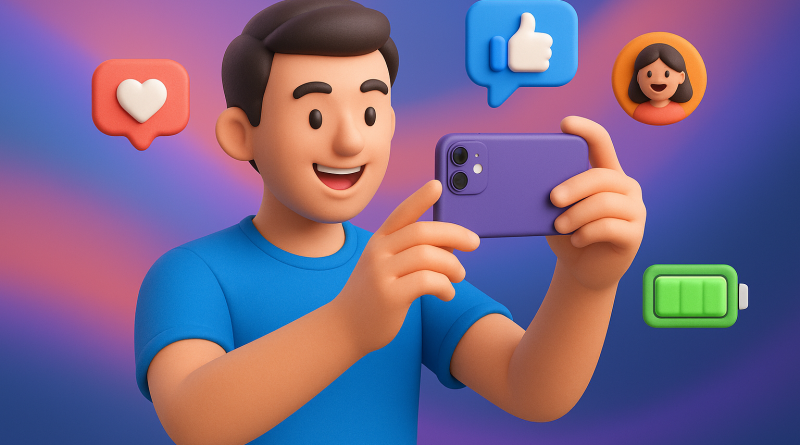
7 Essential iPhone Battery Optimization Tips Every Social Media Creator Needs to Know
In the fast-paced world of digital creation, where every post, story, or Reel can reach thousands—if not millions—of eyes, your iPhone is your production studio, editing suite, and launchpad. For social media creators, battery life isn’t just an inconvenience; it’s mission-critical. At iphone26.com, we’re passionate advocates for giving creators the tools they need to succeed—and it starts with keeping your iPhone running at peak performance. Discover these beginner-friendly yet powerful iPhone battery optimization tips that will keep your creativity charged all day long.
1. Turn on Low Power Mode Sooner Than Later
Low Power Mode isn’t just for emergencies—it’s your productivity sidekick. Activating this mode reduces background activity like email fetch, visual effects, and automatic downloads. Pro tip: Don’t wait until your battery hits 20%. Turn it on early during content creation sessions to conserve energy when you need it most.
2. Check Battery Usage and Identify the Power Hogs
Navigate to Settings > Battery to get a detailed breakdown of battery usage by app. You’ll be surprised how much power some social media platforms use just idling in the background. Once identified, limit background app refresh for apps that aren’t mission-critical.
3. Disable Background App Refresh
Speaking of background app refresh—you probably don’t need all apps constantly updating behind the scenes. Head to Settings > General > Background App Refresh and toggle off everything except the essentials. This single adjustment has saved creators hours of screen time.
4. Adjust Screen Brightness or Enable Auto-Brightness
Filming outdoors? It’s tempting to crank the brightness all the way up. But this drains your battery faster than you can say “#Sponsored.” Either manually reduce brightness, or better yet, enable Auto-Brightness under Settings > Accessibility > Display & Text Size. It automatically adjusts based on your lighting environment.
5. Optimize Location Services
Many apps track your location even when you’re not using them. As a content creator, you only truly need location on for a few. Go to Settings > Privacy & Security > Location Services and switch most apps to “While Using” or “Never.” Your battery will thank you, and so will your timeline.
6. Use Airplane Mode Strategically
When filming or editing offline, toggle Airplane Mode to reduce connectivity power drain. This is especially useful when you’re in areas with poor signal—where your iPhone works overtime trying to stay connected. Just remember to flip it back on when you need notifications or uploads.
7. Keep Your iPhone Software Updated
Apple constantly releases updates designed to enhance battery life and performance. Stay current by going to Settings > General > Software Update. Creators who miss updates often find themselves dealing with unexpected shutdowns or overheating. Don’t let outdated software dim your creative spark.
Bonus Tip: Use Certified Chargers and Battery Packs
Your charging habits matter. Uncertified accessories not only wear down your battery faster but can even damage your iPhone’s internals. Invest in Apple-certified chargers and consider high-quality portable battery packs for all-day shoots. Need help choosing? iphone26.com is your trusted source for Mobile Communication Solutions that keep your devices powered and performing.
Remember, battery optimization is not just a tech tweak—it’s a workflow upgrade.
Why It Matters to Social Media Creators
As a content creator, your ability to stay mobile and responsive isn’t a luxury—it’s a necessity. Whether you’re filming on-location, responding to comments, or live-streaming to your audience, a dead battery is a lost opportunity. These iPhone battery optimization tips aren’t just about saving power—they’re about preserving your time, expanding your reach, and powering your content mission.
At iphone26.com, we’re proud to support creators like you with the insights and Mobile Communication Solutions that matter. Whether you’re just starting your creator journey or scaling to millions of followers, optimizing your tools means optimizing your voice.
Ready to take control of your battery life and keep your content flowing? Explore our full lineup of creator-friendly accessories and services today at iphone26.com!