
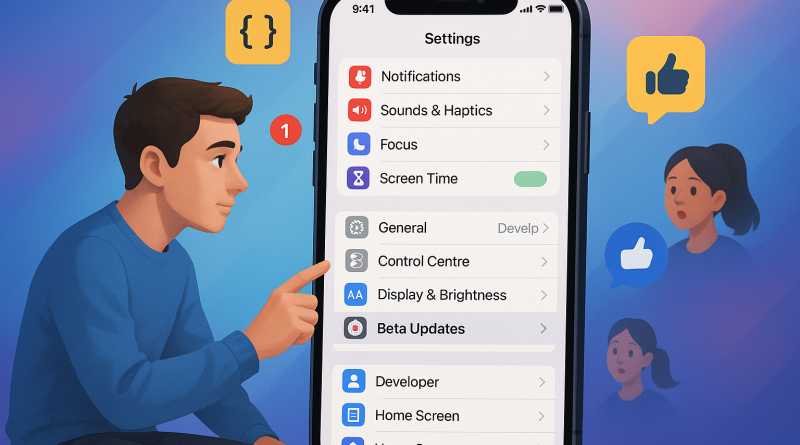
Mastering iOS Beta: A Beginner’s Guide to Unlocking Developer Features and Finding the Best iPhone Apps 2024
Apple’s iOS Beta platform is one of the most powerful gateways to innovation available to mobile power users and developers alike. For those eager to get ahead of the curve, diving into iOS Beta means experimenting with cutting-edge tools, exploring app capabilities before public release, and truly understanding what makes the best iPhone apps 2024 stand out. In this guide, we’ll walk through how to join the iOS Beta program, set up a developer profile, test new features safely, and optimize your workflow for future-ready mobile communication solutions.
Understanding iOS Beta: What It Is and Why It Matters
The iOS Beta program allows users to gain early access to the latest iPhone operating system before its general availability. Typically released in stages—Developer Beta and Public Beta—it functions as a testing environment where Apple refines new features through community feedback. For digital professionals, this is more than a curiosity. It’s a competitive advantage that helps you anticipate market trends, experiment with software integrations, and uncover transformative app capabilities before the rest of the world catches up.
From revamped privacy settings to enhanced AI-driven performance updates, each iOS Beta brings new possibilities that shape the way digital communication evolves. Knowing how to utilize these innovations effectively positions you as a forward thinker in mobile strategy—something every power user aspires to be.
Joining the iOS Beta Program
To begin, users must decide whether to participate in the Public Beta or the Developer Beta. The former is aimed at consumers who want to preview upcoming features, while the latter caters to registered Apple developers who use iOS Beta to build and test apps.
Here’s a step-by-step process to get started:
- Visit Apple’s official Beta Software Program page at beta.apple.com.
- Sign in using your Apple ID, ensuring your credentials are linked to your primary device.
- Download the configuration profile for your target iPhone.
- Install the profile by following on-screen prompts and restart your device when prompted.
- After setup, navigate to Settings > General > Software Update to download the latest iOS Beta version.
For those enrolled in the Apple Developer Program, access is available through developer.apple.com, granting you exclusive entry to deeper beta tools and APIs crucial for app testing.
Setting Up Your Device for Optimal Performance
Before installing any beta software, consider preparing your device with a proper backup. Use iCloud or a local backup via Finder (for macOS) to safeguard your data. Beta builds, by nature, are experimental—occasional bugs and crashes are inevitable. A reliable backup ensures you can revert to a stable setup if necessary.
Next, optimize your settings to minimize instability. Disable unnecessary background apps, review storage usage, and ensure adequate battery health. Staying proactive here helps maintain device efficiency even under a testing environment.
Exploring Developer Features for Power Users
Once installed, the iOS Beta opens the door to new developer-oriented functionalities. These include advanced debugging tools, performance tracking instruments, and enhancements to frameworks like SwiftUI and ARKit. Power users can explore system logs to monitor app responsiveness, conduct energy usage analysis, and profile real-time network performance—all essential elements for those who want a deep dive into system behavior and app optimization.
For example, the updated Instruments suite in Xcode—Apple’s integrated development environment—provides detailed insights into app workflows. Even non-developers can benefit by using TestFlight to try pre-release applications, observing how the latest APIs refine user experience.
Testing and Reporting Feedback Efficiently
Being part of the iOS Beta ecosystem means contributing to its improvement. Apple’s Feedback Assistant app lets you report performance issues, UI inconsistencies, and usability bugs directly. Crafting actionable feedback requires specificity—include screenshots, steps to reproduce the issue, and contextual notes about expected versus actual behaviors.
For developers, this feedback is invaluable. It helps them adapt their products to evolving operating system requirements and ensures users enjoy a smoother experience upon public release.
Discovering the Best iPhone Apps 2024 Through Beta Testing
The best iPhone apps 2024 are being shaped right now inside the Beta ecosystem. By testing pre-release builds, you gain early exposure to next-generation tools in productivity, creativity, and communication. Beta access lets you follow developers refining their latest solutions, and you can witness firsthand how AI, AR, and automation are being seamlessly integrated across app categories.
Some standout beta apps this year focus on personalized automation—leveraging Apple’s Shortcuts app improvements to bridge high-efficiency workflows across devices. With the expanded support for machine learning tools and on-device intelligence, developers are unlocking unprecedented levels of customization for end-users. Testing these apps early not only gives you a glimpse of the future but provides valuable insight into what separates a good app from a groundbreaking one.
Leveraging Beta Features for Professional Advantage
Digital specialists and early adopters use iOS Beta not just for novelty but for strategic foresight. Companies exploring mobile communication strategies can use new APIs to integrate customer engagement systems, improving response speed and personalization. Freelancers and consultants gain credibility by familiarizing themselves with platforms before official release, equipping them with knowledge that drives better results for clients.
When you know how Apple’s evolving design principles, security updates, and developer guidelines operate, you create solutions that stand the test of technological transition. For every power user, that is the ultimate return on time invested.
Common Pitfalls and How to Avoid Them
While the excitement of early access is tempting, beginners should approach beta testing with structure and caution. Avoid installing Beta on your primary device unless absolutely necessary. Maintain consistent data backups and monitor community forums for known issues. Keep your system documented—note version updates, observed bugs, and performance changes. This methodical approach mirrors what professional developers use in production environments and ensures a smoother experience.
Final Thoughts on iOS Beta and the Future of Mobile Communication
Embracing iOS Beta means embracing innovation. It’s a conscious decision to be part of a forward-thinking ecosystem where technology evolves in public view. Whether you’re analyzing the best iPhone apps 2024 or experimenting with Apple’s latest developer features, each testing cycle offers a chance to refine your digital mastery.
In the end, understanding iOS Beta isn’t just about running new features—it’s about interpreting them strategically. It allows you to anticipate trends, prepare for market shifts, and enhance the mobile experiences that drive business growth and user satisfaction. With practice, patience, and analytical curiosity, you’ll not only stay ahead of the curve—you’ll help define it.
To get the best in Mobile Communication Solutions, visit iphone26.com and explore how our insights help power users and professionals navigate the digital future across every iOS release cycle.