
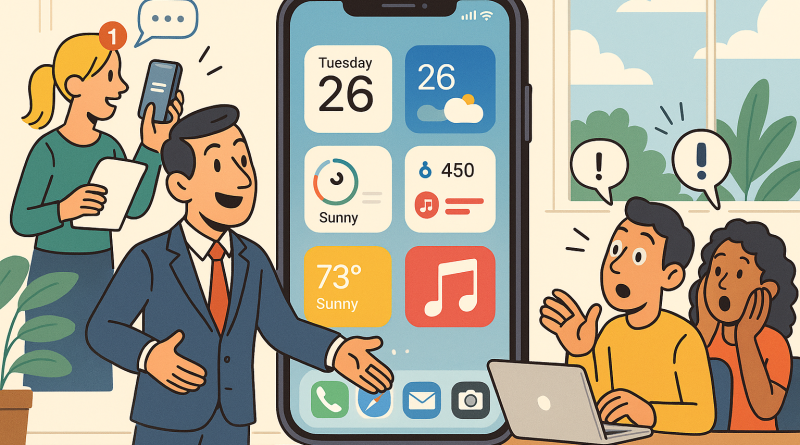
How to Use iOS 26 Widgets: The Ultimate Pros and Cons Guide for the Digital Era
Every new iOS release brings excitement, a splash of innovation, and a chance for Apple users to rethink their digital routines. But when iOS 26 arrived, it did something bigger than just rolling out fresh icons and wallpapers—it redefined the widget experience. If you’ve ever wondered how to use iOS 26 widgets efficiently, maximize productivity, and still enjoy a visually stunning interface, you’re in the right place. In this editorial piece from iphone26.com, we’ll dive deep into why this feature is more than just eye candy, what it gets right, what it misses, and how you can make the most of it in your daily digital life.
The Story Behind iOS 26 Widgets
Let’s rewind for a moment. When Apple first introduced widgets, they were small, static blocks offering snippets of information—useful but limited. Fast forward to iOS 26, and we now have an ecosystem that feels alive. Widgets update dynamically, interact with your apps in real-time, and even respond to your routine. For example, as you start your morning coffee ritual, iOS 26 can suggest widgets that anticipate your schedule—a weather check, reminders for your morning run, or a note from last night’s brainstorming session.
The evolution from passive display to an interactive control system didn’t happen overnight. It’s the result of years of user feedback and Apple’s relentless pursuit of seamless digital experiences. It’s storytelling through code—your screen adapts, reacts, and supports your day’s narrative.
Why Widgets Matter More Than Ever
In the frenzy of gadgets, apps, and notifications, widgets offer digital sanity. They’re not just smaller pieces of apps; they’re curated windows into what you truly need at the moment. Whether you’re a gadget reviewer dissecting specs or a casual user looking to simplify your home screen, widgets act as anchors in your digital storm.
Think about it: your phone tells your story. How you design your widget setup can reveal your digital habits—are you a minimalist focused on efficiency, or an explorer who likes having instant access to creativity tools? Understanding how to use iOS 26 widgets unlocks that potential.
The Pros of iOS 26 Widgets
1. Interactivity like never before: One of the biggest changes in iOS 26 is that widgets are no longer static. You can interact directly from them without opening the parent app. Whether it’s pausing a playlist, checking off a to-do, or replying to quick messages, it’s all possible from your home screen.
2. Smart Stack upgrades: The Smart Stack is now more intuitive. It learns from your behavior, rotating widgets based on context and time. This adaptability turns your phone into a personal assistant rather than a simple tool.
3. Enhanced customization: Colors, sizes, and shapes are more fluid in iOS 26. Apple finally offers deeper themes that blend with your wallpaper, allowing users to design sleek, minimalist layouts or bold, expressive displays.
4. Integration with Focus Modes: Widgets now respond to your focus mode settings. If you switch to “Work Focus,” you’ll automatically see productivity tools, emails, and scheduling widgets. Switch to “Personal,” and entertainment or communication widgets slide into view.
5. Faster access, fewer distractions: When you interact more through widgets, you spend less time jumping between apps. That’s efficiency in action—ideal for heavy multitaskers and gadget reviewers who live in constant app-switching chaos.
The Cons: Where iOS 26 Widgets Still Struggle
1. Limited third-party creativity: While developers have better access to widget APIs, the artistic or functional boundaries are still under Apple’s watchful eye. It ensures quality consistency but leaves some craving for innovation.
2. Data privacy trade-offs: Widgets that rely on real-time updates often sync constantly, raising small flags for users hyper-conscious about background data sharing or battery drain. It’s secure, but awareness is key.
3. Battery impact: Apple has optimized performance, yet interactive elements can still nibble at your battery life—especially if you’re eager to fill every inch of your home screen.
4. Learning curve for new users: Apple’s simplicity sometimes hides deeper control layers. To truly master how to use iOS 26 widgets, users need to experiment, adjust, and fine-tune layouts—a rewarding but time-consuming process.
Tips to Maximize Your Widget Experience
Start with intention: Don’t add widgets because they look good; choose ones that improve your flow. Ask yourself daily: what information do I really need before unlocking my phone?
Leverage Smart Stacks wisely: Instead of loading multiple single-purpose widgets, use Smart Stacks to rotate through essential ones throughout the day.
Experiment with sizes: Bigger doesn’t always mean better. A compact weather or reminders widget can give you space for an interactive calendar or music control panel.
Combine Focus and Widgets: This duo is a power move. When set correctly, your widgets transform automatically, echoing your current mode—saving time and keeping distractions out.
Review your layout weekly: Your needs evolve, and your widget setup should too. Remove what’s redundant and refresh your stack as your workflow changes.
The Bigger Digital Picture
The rise of widgets marks an era where personalization meets purpose. This isn’t just about Apple fans getting fancy icons—it’s about redefining how we interact with our devices. In the digital industry, where trends shift faster than we can update our phones, widgets stand out as a bridge between functionality and design harmony.
For gadget reviewers, it’s a chance to explore the boundaries of user-centric design. For digital creators, it’s an opportunity to curate experiences that reflect personality and intent. Understanding how to use iOS 26 widgets is more than a tutorial—it’s a mindset.
Conclusion: The Evolution Continues
iOS 26 widgets are not just another upgrade—they’re part of an ongoing dialogue between humans and technology. They allow us to interact with our phones more naturally, balancing efficiency with style, automation with control. If you’ve hesitated to dive into customization, now’s the moment. Let your gadget tell your story.
Embrace the tools, test their limits, and keep learning as Apple continues shaping our digital future. And if you’re passionate about optimizing how you connect and communicate in this evolving landscape, don’t forget to check out www.conXhub.com—where connectivity meets modern innovation.