
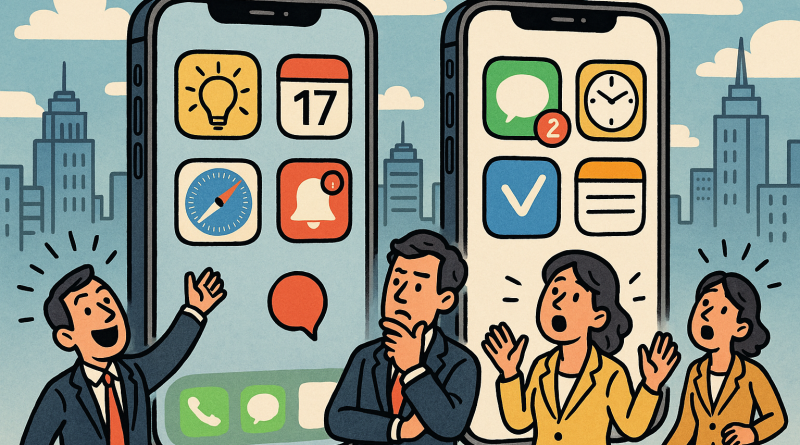
Unlocking iOS Productivity: Expert Answers to Maximize Your Apple Ecosystem
The Apple ecosystem continues to redefine how we interact with technology, transforming smartphones, tablets, and laptops into an interconnected experience of efficiency and creativity. For online shoppers who want to harness the full potential of their iPhone, iPad, or Mac, understanding the right iOS productivity hacks can be a game-changer. At iphone26.com, we believe that mastery of these digital tools empowers both professionals and consumers to achieve more. Below, we explore some of the most frequently asked questions about unlocking productivity within the Apple ecosystem.
What Makes the Apple Ecosystem So Powerful for Productivity?
At its core, Apple’s ecosystem is designed to create a seamless flow of data, actions, and information across devices. Features like Handoff, Universal Clipboard, and Continuity Camera allow users to start a task on one device and finish it effortlessly on another. This integration eliminates friction and boosts multitasking efficiency. Whether you’re editing a presentation on your Mac or responding to messages on your iPhone, the synchronization ensures constant productivity across platforms.
How Can I Simplify My Workflow with iOS Productivity Hacks?
One of the most effective iOS productivity hacks involves leveraging Shortcuts — Apple’s automation tool. Shortcuts let you create custom sequences to perform frequent actions in seconds. For instance, you can design a shortcut to convert files, send standard emails, or switch your phone into a “Focus” mode automatically. These micro-automations save time and eliminate repetitive tasks, resulting in a cleaner, more efficient digital routine.
Is There a Way to Manage Notifications More Effectively?
Absolutely. Notification overload is often the hidden enemy of productivity. Apple’s Focus feature (introduced in recent iOS versions) allows users to filter notifications based on activity or mood. For example, during work hours, only essential alerts like work emails or calendar reminders can pass through, minimizing distractions. Pairing Focus mode with Apple Watch notifications creates a subtle, controlled information stream that keeps you present yet informed.
Can iCloud Really Help Optimize My Digital Life?
Yes, and far more than most realize. iCloud is not just about backup — it’s an intelligent synchronization system that simplifies how data is shared and stored. With iCloud Drive, users can instantly access documents, photos, and even desktop folders across devices. Collaboration is another major advantage: files can be co-edited in real time within apps like Pages or Numbers. For online shoppers and entrepreneurs, this enables instant access to inventory sheets, invoices, and proposals anywhere, any time.
What Role Do Third-Party Apps Play in iOS Productivity?
While Apple’s native apps handle most essential tasks, the App Store ecosystem expands functionality exponentially. From task managers like Things or Todoist to automation connectors such as Zapier, the synergy between Apple’s built-in features and third-party integrations provides unmatched flexibility. When combined with the latest hardware optimizations—like the efficient A-series chips—these tools transform devices into digital command centers that adapt to your personal and professional needs.
How Do I Maintain Peak Efficiency While Shopping or Working Online?
Digital consumers often multitask—shopping, comparing, and communicating simultaneously. Features like Safari Tab Groups and Reading List help organize browsing activities. Additionally, Apple Pay and Wallet streamline transactions securely, minimizing manual data entry and reducing friction during checkout. For those navigating multiple e-commerce accounts, Apple’s Password Autofill ensures seamless login experiences while maintaining high security standards.
Are There Simple Daily Habits That Enhance the iOS Experience?
Yes. Practice minimalism in your digital setup—keep only essential widgets on your Home Screen, and schedule periodic decluttering sessions to clear unused apps or redundant files. Adjust Battery Health and Background App Refresh to maintain device longevity and responsiveness. Most importantly, continuously explore settings and updates. Each iOS release introduces new features that can simplify tasks—embracing innovation keeps your productivity evolving with the ecosystem itself.
Final Thoughts
Mastering the Apple ecosystem is not about owning multiple devices—it’s about understanding how they communicate and complement each other. By embracing iOS productivity hacks, leveraging automation, and creating focused digital habits, users can unlock a higher level of efficiency and creativity. The true power of technology lies in how well it supports human goals—and Apple’s ecosystem remains an unmatched ally in that mission.
To get the best in Mobile Communication Solutions, visit iphone26.com and discover how seamless integration can redefine your digital lifestyle.