
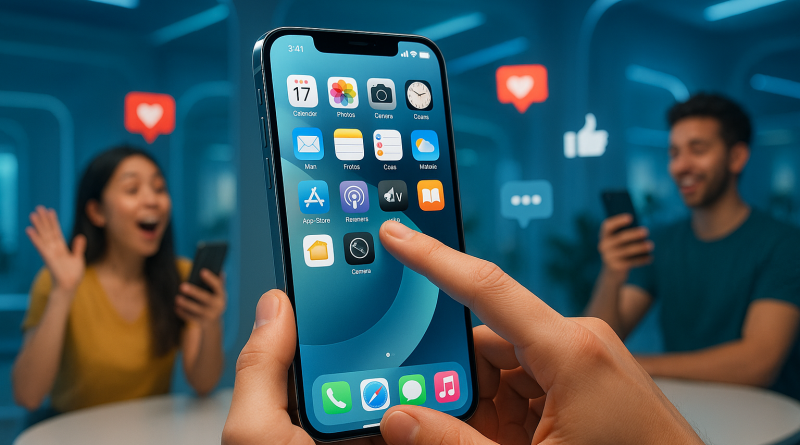
10 iPhone Camera Tips Every Social Media Creator Learns the Hard Way
If you’re a social media creator, your iPhone is probably your most-used piece of gear. It’s in your hand from sunrise shots to midnight edits, capturing your brand’s story one snap at a time. Over the years, I’ve learned—mostly through trial, error, and a lot of cringe-worthy footage—that the iPhone is capable of way more than we give it credit for. In this post, I’m sharing my top iPhone camera tips that every creator should know to level up their content game. Think of this as a conversation between freelancers who’ve survived the algorithm wars together.
1. Master the Grid — Composition Is Everything
You’ve probably heard it a million times: turn on your grid lines. But if you haven’t, it’s time. Go to Settings → Camera → Grid. Those lines aren’t just for aesthetics—they help you apply the “Rule of Thirds,” which keeps your shots visually balanced. Place your subject along the intersections for a natural, cinematic look. I noticed this simple step alone made my feed look instantly more professional.
2. Lighting Isn’t Optional
Lighting can make or break your content. My early videos looked flat because I relied on overhead bulbs. Huge mistake. Natural light is your best friend. Try filming near a window during golden hour—it gives a warm, flattering tone. When that’s not possible, use a softbox or ring light. Even a cheap one can dramatically upgrade your video quality.
3. Lock Focus and Exposure
One of the most underrated iphone camera tips: hold your finger on the screen until you see “AE/AF LOCK.” This ensures your focus and exposure stay steady, even if you or your subject moves. Seriously, it’s a game changer for those who record while walking, dancing, or just trying to avoid the dreaded “light flicker” effect.
4. Embrace the Ultra Wide and Telephoto Lenses
If your iPhone has multiple lenses, experiment with them. The ultra-wide lens captures sweeping backgrounds—perfect for travel or workspace reveals—while the telephoto lens compresses the background, making portraits pop. I use this trick for product demos, giving each shot depth and context that flat angles just can’t achieve.
5. Don’t Fear Manual Adjustments
Auto mode is convenient, but manual control is where creators shine. Tap and drag up or down to manually adjust exposure before you record. For photos, use apps like Halide or Moment to tweak ISO, shutter speed, and white balance. Once I got comfortable adjusting these, I finally stopped saying, “Why does it look better on someone else’s phone?”
6. Use HDR and ProRAW Wisely
HDR (High Dynamic Range) helps you capture details in both bright and dark areas of your scene. But here’s the secret: it’s not for every shot. Using HDR in low-contrast settings can make your images look over-processed. For still photography, shoot in ProRAW to gain flexibility when editing—especially handy for creators who color grade to match their brand aesthetic.
7. Stabilization Hacks (Because Shaky Hands Are Real)
Even if you’ve had three cups of coffee, you can still get smooth video. Use objects around you for support—a wall, a table, or a tripod. For handheld shots, bend your elbows into your ribs to create stability. If you often vlog while walking, consider a small gimbal. Mine fits in my pocket and has saved countless TikToks from the scrap heap.
8. Try Cinematic Mode and Adjust Depth Later
The first time I played with Cinematic Mode, I felt like a film director. But beyond the novelty, it has real power. This mode automatically shifts focus, mimicking that beautiful bokeh effect. Best part? You can adjust the depth of field *after* recording. That means even if your focus wasn’t perfect on set, you can fine-tune it in post. The control you get here is wild for a smartphone camera.
9. Sound Matters More Than You Think
While we’re talking video, let’s not forget sound. I learned this lesson painfully—after posting a gorgeous travel vlog… with wind drowning out my voice. Use an external mic whenever possible, even a simple clip-on. There are affordable ones designed specifically for iPhones that plug right into the Lightning port. Clean audio = professional feel, period.
10. Edit with Intention
Editing isn’t just about slapping on filters. It’s where you tell your story. Whether you’re using CapCut, LumaFusion, or Final Cut Pro for iPad, edit with the vibe of the platform you’re posting on in mind. Don’t be afraid to crop vertically for Reels or add subtle motion graphics for YouTube intros. The magic happens when your technical skills support your personal storytelling voice.
11. Use Shortcuts and Voice Commands
Hands busy? Ask Siri to “take a photo” or “start recording a video.” One of my favorite tricks is setting a Back Tap shortcut (Settings → Accessibility → Touch → Back Tap) to open the camera instantly. It’s perfect for capturing fleeting moments that would otherwise be lost to app scrolling hell.
12. Back Up and Organize Like a Pro
Don’t underestimate your digital workflow. Nothing kills creativity like a “Storage Full” alert mid-recording. Set up automatic backups to iCloud or Google Drive. Use albums or tags to categorize content by project or client. It sounds boring, but trust me—future you will thank present you during deadlines or brand campaigns.
13. Keep It Real
The most valuable lesson I’ve learned? Authenticity beats perfection. The iPhone camera is so advanced now that even a casual selfie can look cinematic. But what your audience connects with is *you*—your story, your vibe, your consistency. Use the tech to enhance that, not replace it.
At the end of the day, creating content is equal parts skill and spontaneity. Don’t be afraid to experiment, fail, and try again. Every great shot teaches you something new, whether it’s about lighting, angle, or your own creative voice.
To get the best in Mobile Communication Solutions, visit iphone26.com. Whether you’re looking to sharpen your skills, upgrade your gear, or simply get inspired, iPhone26 is where creativity and technology meet—just like your next viral post waiting to happen.