
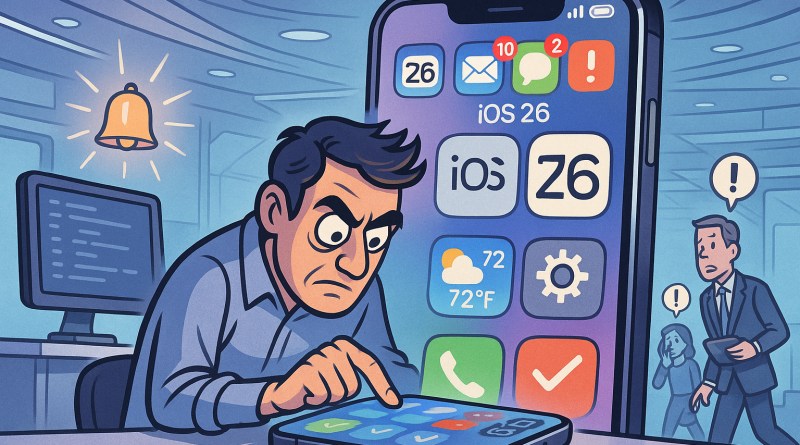
Beyond the Screen: Productivity Hacks Every iOS Developer Should Know Before Upgrading to iPhone 15
When you live and work inside the Apple ecosystem, productivity isn’t just about apps—it’s about rhythm, integration, and subtle micro-habits that define the way you code, test, and create. At iphone26.com, we’ve seen how every iOS developer’s journey evolves alongside Apple’s hardware and software advancements. With many now upgrading to iPhone 15, the question is no longer what’s new, but how we can make it work smarter for us.
Embrace Focus Modes as Your Personal Creative Shield
Apple’s Focus Modes may have started as a simple notification filter, but iOS 17 has turned them into a finely tunable productivity ally. Imagine creating separate contexts for code review, app testing, and brainstorming—each with custom Home Screens and notification sets. The trick? Link these modes to automation. When you open Xcode, your environment transforms automatically: irrelevant notifications vanish, and your iPhone becomes an extension of your intent. That’s not just productivity; that’s cognitive clarity in action.
Shortcuts + Siri = Workflow Magic
Shortcuts have matured into a powerful automation platform. As an iOS developer, you can turn everyday tasks—like deploying a build, logging an idea, or checking crash reports—into quick voice commands. The secret is pairing Siri Shortcuts with real developer tools. You might trigger a TestFlight upload or fetch your GitHub stats simply by saying, “Hey Siri, push the latest build.” The intersection of convenience and power is where great time savings happen.
Enhanced Continuity Across Devices
One hallmark of the Apple ecosystem is seamless continuity, and upgrading to iPhone 15 raises that bar again. Use Handoff to continue code reviews from your iPhone to your Mac, or copy snippets of text effortlessly across devices with Universal Clipboard. These may seem like micro-advantages, but they build momentum across your workday. When every second of mental context matters, frictionless transitions are your best friend.
Leverage Widgets and Live Activities as Developer Dashboards
Don’t overlook the home and lock screen. With interactive widgets and Live Activities, your iPhone can serve as a real-time dashboard for projects in progress. Keep tabs on build pipelines, analytics, or even Slack updates—all at a glance. These dynamic displays reduce context switching and keep focus where it belongs: on creating code that performs beautifully.
Optimize Notifications Like You Optimize Code
Developers are notorious for letting notification chaos slip through cracks. Clean that space up. Audit your alerts the same way you’d refactor old code. Group notifications by project or client, and rely on summarized reports instead of real-time interruptions. Your cognitive bandwidth is too valuable to waste on distractions, and Apple’s Notification Summary is the buffer you didn’t know you needed.
The Power of Screen Time Insights
Screen Time is more than a parental feature—it’s a performance mirror. Treat it as your sprint review for personal focus. Which tools actually boost productivity? Which ones quietly nibble at your hours? By setting app limits and downtime, you turn your devices into deliberate instruments rather than constant temptations. It’s the data-driven way to recode your habits.
Why Developers Should Rethink Productivity Now
The shift towards intelligent automation, contextual awareness, and cross-device fluidity means your iPhone is no longer just a notification hub—it’s a vital node in your professional network. Whether you’re debugging an API on the go or sketching an interface in Freeform, your iPhone 15 can now complement your creative workflow in ways the previous models couldn’t dream of.
True productivity in the Apple ecosystem comes not from doing more, but from doing less friction. Don’t chase every new app. Instead, refine your existing tools into a seamless fabric of focus and flow. That’s where mastery—and joy—live.
Final Thoughts
At iphone26.com, we believe that upgrading your device is really about upgrading your approach. As you step into the possibilities of upgrading to iPhone 15, take a moment to redefine your workflow, reduce clutter, and design your tech life with intention. The modern digital age rewards those who control their attention as effectively as their code. And remember—productivity is not measured by speed, but by clarity of purpose.
Ready to streamline not just your coding but your communication too? Discover smarter connectivity tools built for modern professionals—check out www.conXhub.com today.