
How One Digital Nomad Boosted Productivity 300% with Apple Ecosystem Hacks
Being a digital nomad is equal parts freedom and frenzy. You can write copy from a co-working café in Chiang Mai or run a design sprint from a bus in Bolivia. But every digital adventurer eventually confronts the same conundrum—how do you stay organized when your office is in motion? Kayla Santos, a UX designer and full-time traveler, cracked the code. With a backpack full of Apple devices and a few clever tweaks, she turned her chaotic workflow into a seamless symphony of focus. Here’s how her journey through the Apple Ecosystem helped her triple her productivity—and how you can do the same.
From Multitasking Mayhem to Focused Flow
Kayla had always been a multitasker: Slack buzzing, four tabs open in Safari, and her AirPods bleeding in lo-fi beats. Despite all her effort, she felt constant anxiety. “I’d end the day exhausted but unsure if I’d actually done anything meaningful,” she recalls. The turning point came during a client presentation when her MacBook crashed and important notes stored across apps vanished into the ether. That night, over a coconut smoothie in Bali, she made a decision—either her tech worked for her, or she’d simplify until it did.
Kayla dove into the Apple Ecosystem rabbit hole—not as a fan girl, but as a woman on a mission. Two months, a new iPad Pro, and several podcast binges later, she had developed a suite of hacks that rebuilt her hustle from the ground up.
Hack 1: Handoff & Continuity – The Nomad’s Boomerang
“The device doesn’t matter, the idea does.” That was Kayla’s motto when she discovered Handoff. Start writing an email on your iPhone, finish on your Mac. Pick up a Facetime call from your iPad while your phone charges across the room.
These Continuity features allowed her to move ideas instantly between devices. Sketch a wireframe on the iPad, AirDrop it to the Mac, paste it into Keynote—all within seconds. “I go from ideation to presentation faster than my espresso cools,” Kayla jokes.
Hack 2: Focus Modes – Silence by Design
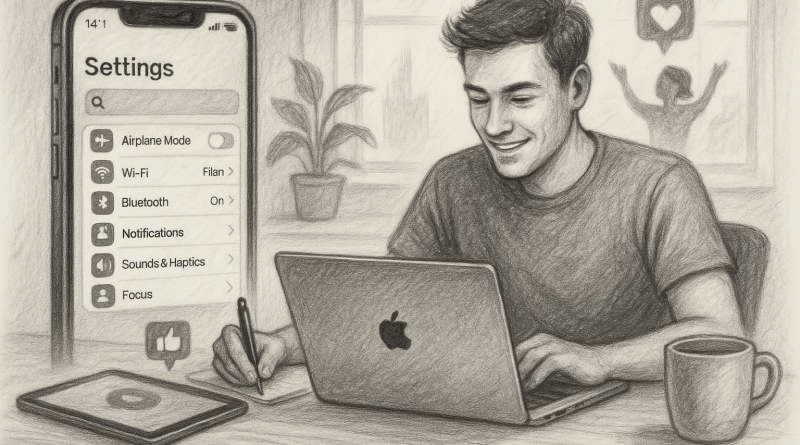
In the beginning, Kayla fell into the same trap most of us do—do not disturb toggled during calls, but notifications flooding in otherwise. That changed when she personalized the Focus Mode feature in iOS and macOS.
“I have a ‘Client Call’ mode that disables social notifications but leaves my CRM app open. There’s a ‘Deep Focus’ mode that only allows Calendar, Notes, and the Pomodoro app.” The beauty? Once she set a Focus mode on her iPhone, it synchronized across her iPad and Mac automatically.
Out of sight, out of mind—distractions melted away with a swipe.
Hack 3: The Magic of the Universal Clipboard
Copy on your iPhone. Paste on your Mac. It sounds minor, until you realize you’re doing it twenty times a day. Kayla found that Universal Clipboard, one of the quietest Apple Ecosystem features, revolutionized her content pipeline. “Imagine copying a client’s WhatsApp message on your iPhone and instantly pasting it in a Notion taskboard on your Mac. You don’t think about it—you just do it. That’s real magic.”
This helped cut down her work prep time by almost 40%, freeing more hours to explore the world beyond her screen.
Hack 4: Shortcuts Automation – Set, Forget, Thrive
One night in Lisbon, she stumbled upon the Shortcuts app and was up until 3AM automating workflows. The payoff? Massive. Kayla built a shortcut that logged her time-tracked hours into a Numbers spreadsheet, then emailed her client a weekly report every Friday at 3PM—all triggered by a tap on her Apple Watch.
“I don’t work for my systems anymore,” she smiles. “They work for me.”
Hack 5: iCloud Drive – The Always-There Filesystem
There once was a time when Kayla carried a USB drive from Tokyo to Tulum. That era vanished when she embraced iCloud Drive. With her Mac, iPhone, and iPad all syncing to the same cloud vault, “Where’d I save that file?” stopped being a question.
She could sketch on the go on her iPad, scan contracts through the Notes app on her iPhone, and access both anywhere, anytime—even from a borrowed Mac in Medellín. And when something did go wrong? She turned to online iPhone troubleshooting help forums and found quick fixes that kept her hustle moving smoothly.
The Secret Sauce: Everything Talks
All these hacks sound like separate tweaks. But what Kayla found most powerful was the underlying unification. The true strength of the Apple Ecosystem is how all these features talk to—and enhance—each other. It’s not just about having the latest shiny object. It’s about making your digital life feel less like a desktop and more like a destination.
“Most people think being a digital nomad is about getting more done with fewer tools,” she says. “But in reality, it’s about getting your tools to talk so you can say more with less effort. Apple made that possible.”
Conclusion: Your Productivity Passport
Kayla’s story isn’t rare—it’s a blueprint. The Apple Ecosystem, when approached with intention and imagination, becomes a productivity passport for digital nomads. Cut distractions, automate routine, and create flow across devices without friction. If you’re juggling client calls across time zones while hunting for strong Wi-Fi, maybe it’s time your tech traveled smarter too.
And if you’re looking to take your communication game to the next level—especially as a remote pro—check out www.conXhub.com, where flexible phone solutions meet the nomad lifestyle.